Someone closes an order in Airtable, then opens QuickBooks and types the same order in again, line by line, picking the right class and department from a dropdown. Every order, every day. If you are asking what n8n is used for, that person is usually the answer. n8n takes over the job of copying data from one system into another, and the checks that go with it.
What is n8n used for? The short answer
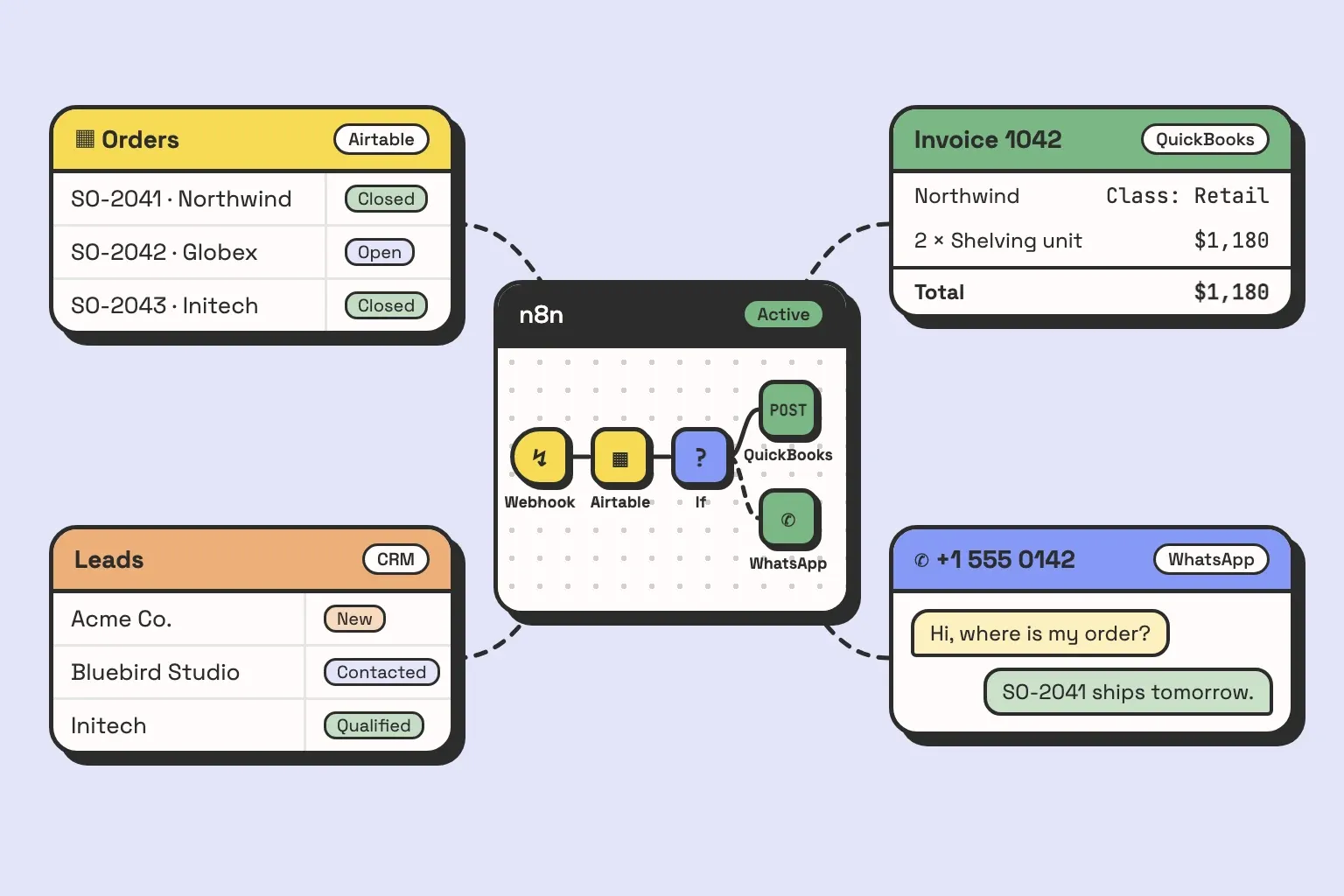
n8n is used to move data between the systems a business already runs on, and to act on it along the way. A workflow starts from a trigger (a webhook, a schedule, a new row, an incoming message), then runs a chain of nodes that read from one app, transform or check the data, and write to another. You can self-host it or use n8n’s cloud. When a built-in node does not cover what you need, you call the API directly with an HTTP Request node or write the step in JavaScript or Python. In practice, n8n ends up as the layer between your database, your accounting, your CRM and your inbox.
What that looks like depends on what you connect it to, so the rest of this page is four systems we have built with it. For each one: what starts it, what runs inside, what it replaced, and where the real work was.
Four systems, and what each one replaced
1. Airtable orders into QuickBooks invoices and purchase orders
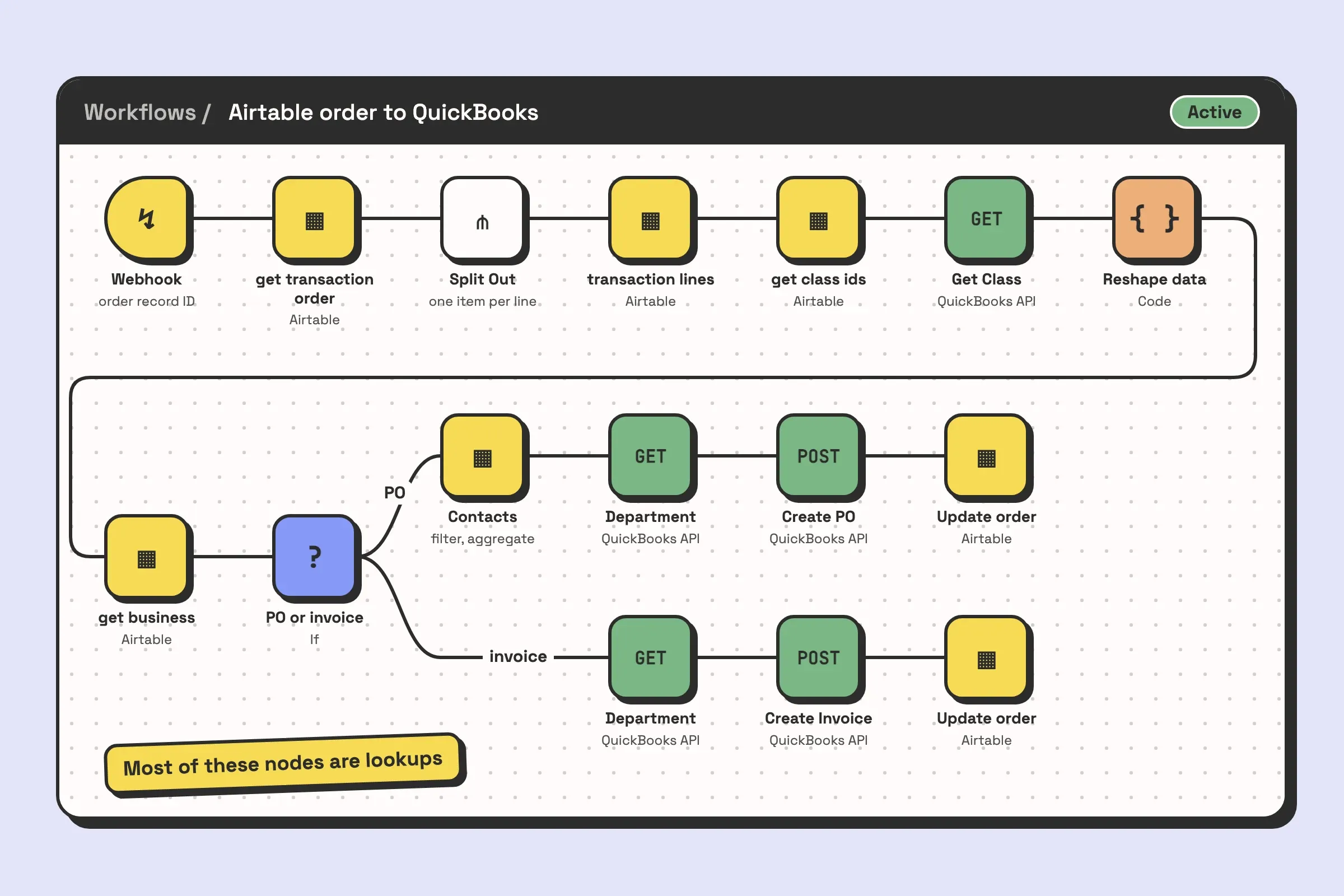
A webhook receives the order’s Airtable record ID, and the workflow takes it from there. In order, it runs:
- The Webhook node receives the order.
- get transaction order (Airtable) fetches the order record.
- Split Out breaks the order into its lines, and transaction lines (Airtable) fetches each one.
- get class ids (Airtable) and then Get Class, an HTTP GET against the QuickBooks API, resolve the class for each line.
- A Code node reshapes the data before anything is sent to QuickBooks.
- get business (Airtable) fetches the business on the order.
- An If node splits the run. One branch fetches contacts from Airtable, filters and aggregates them, looks up the QuickBooks department, and Create PO posts a purchase order. The other branch looks up the department and Create Invoice posts an invoice.
- On either branch, a final Airtable node updates the original record.
It replaced re-keying orders from Airtable into QuickBooks by hand.
Most of those nodes are lookups, and that is where the work was. QuickBooks wants its own IDs for class and department, so before the workflow can create anything it has to translate every Airtable value into its QuickBooks equivalent. Notice also that the QuickBooks calls are plain HTTP Request nodes hitting the API. That is normal on real builds. A built-in node covers the common operations, and as soon as you need something it does not expose, you call the API yourself.
2. Product capture from any vendor site
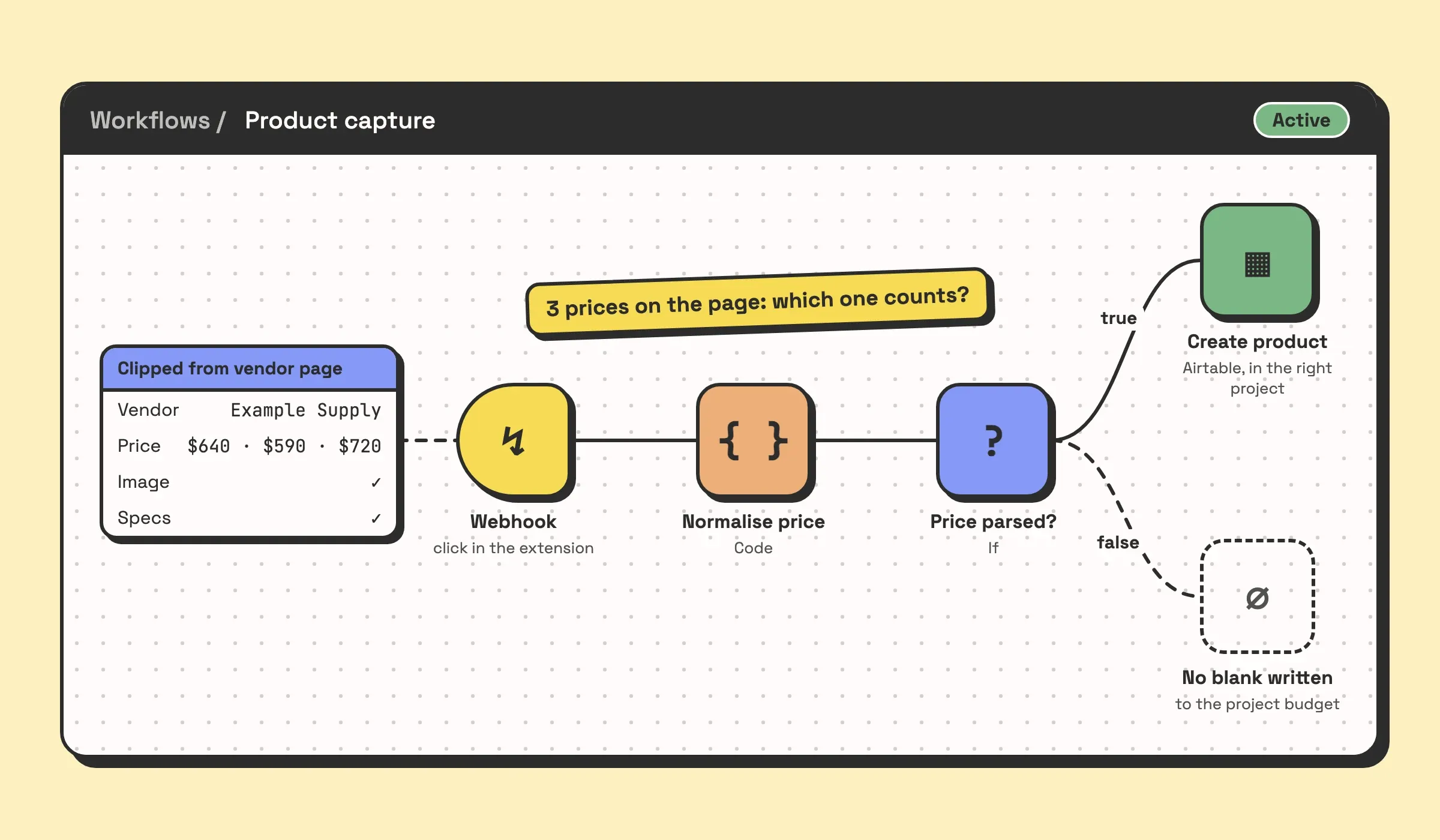
This one starts with a click in a browser extension, on any supplier’s product page. The extension clips the product (vendor, price, image, specs) and n8n sits between it and the studio’s Airtable base, so the product lands in the right project.
It replaced copying a spec from a vendor page into a spreadsheet and hoping it landed.
The clipping was the easy half. Every vendor site marks up a price differently, and half of them load it after the page renders. The work was the normalisation step in the middle: deciding what counts as the price when a page shows three, and what to do with a price that will not parse, instead of silently writing a blank into a project budget.
3. A lead database, migrated and enriched
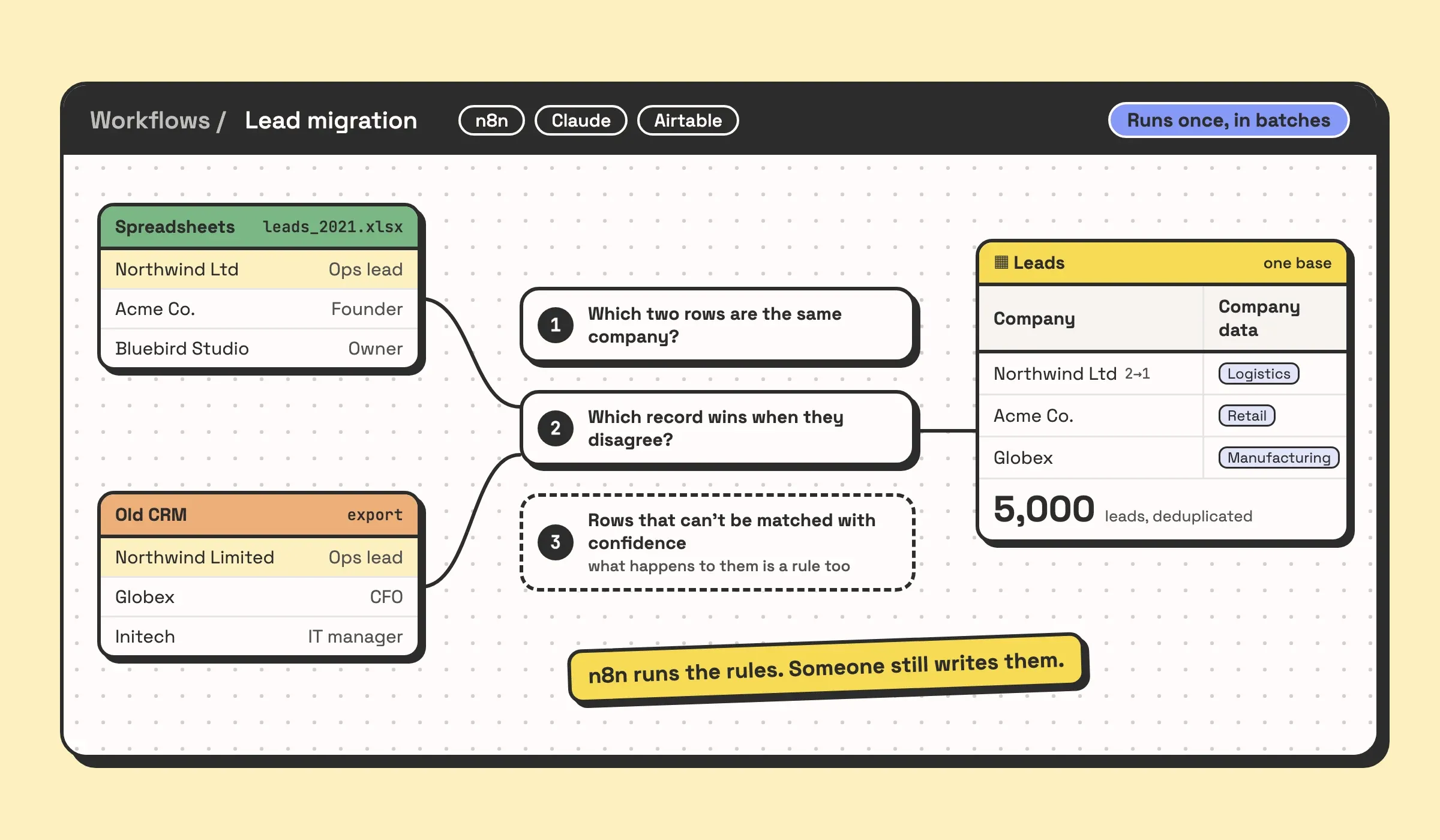
There is no trigger in the usual sense here. It was a batch job over years of existing records: leads spread across spreadsheets and an old CRM, pulled into one Airtable base, deduplicated, normalised, and enriched with company data so the list was worth working. The stack was n8n, Claude and Airtable, and 5,000 leads came out the other side consolidated and deduplicated.
The hard decisions in a job like this are about matching. Which two rows are the same company, which record wins when they disagree, and what happens to the rows that cannot be matched with confidence. n8n is good at running those rules over thousands of records. Someone still has to decide what the rules are.
n8n also works for one-off jobs like this, which people tend to forget. A migration that runs once, in batches, is a perfectly good use of it.
4. A WhatsApp agent that answers from your own data
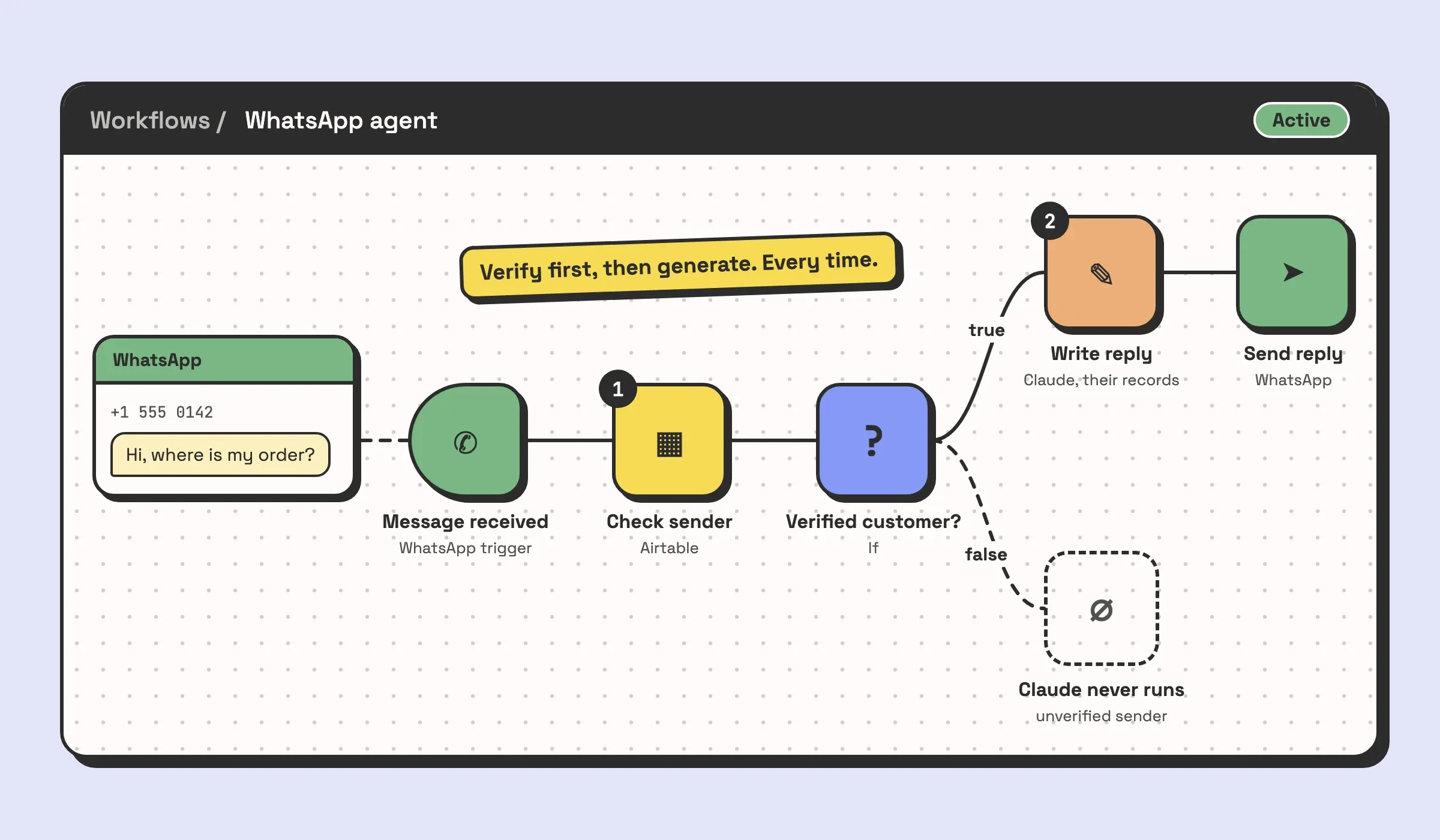
A customer sends a message on WhatsApp. n8n receives it, checks who the sender is against Airtable, and only then lets Claude write a reply from that customer’s own records. Every thread lands in a web console where the team can watch, take over mid-conversation, and tune the responses.
It replaced a team answering every message by hand.
The work was in the order of operations. The agent verifies the customer before it generates a word, because an assistant that reads an order status to whoever happens to message is a data leak. n8n runs that sequence, and the rest of the system depends on it running in that order every time.
If one of these looks like your week, that is the quickest conversation to have. Book a call and tell us which one, and what your version of it involves.
The pattern behind all four
Put the four side by side and n8n plays the same part in every one: it is the connective tissue. The data lives somewhere else, in Airtable or QuickBooks. The judgement, where there is any, also comes from somewhere else: Claude reading a message, or a matching rule someone wrote for deciding when two companies are one. n8n carries the data between them, in the right order.
That is the most useful way to think about what n8n is for. It is very good at sequence: fetch this, check that, branch, write back. It is a poor place to keep anything. When a project starts treating n8n as the database, storing state in it or making it the only place a number exists, it starts going wrong.
Small workflows are one of the places n8n excels. A workflow with two steps (new form entry, send a Slack message) is one trigger node and one action node. On n8n’s cloud plans a run counts as one execution however many nodes it has, and a self-hosted instance does not count executions at all, so a step you add does not change what each run costs. When that Slack message later needs a lookup or a branch, you add a node to the workflow you already have.
If you want the category first, what workflow automation actually is covers the idea these systems sit on.
What n8n is not good for
These are the jobs where we would steer you away from it.
- Anything that should be stored. n8n passes data through. If a number only exists inside an execution log, you do not really have it.
- A process your team is still arguing about. Automating it hard codes the argument. Settle the process first.
- Messy data. If the underlying records are a mess, n8n moves the mess faster and into more places. Fix the data model first.
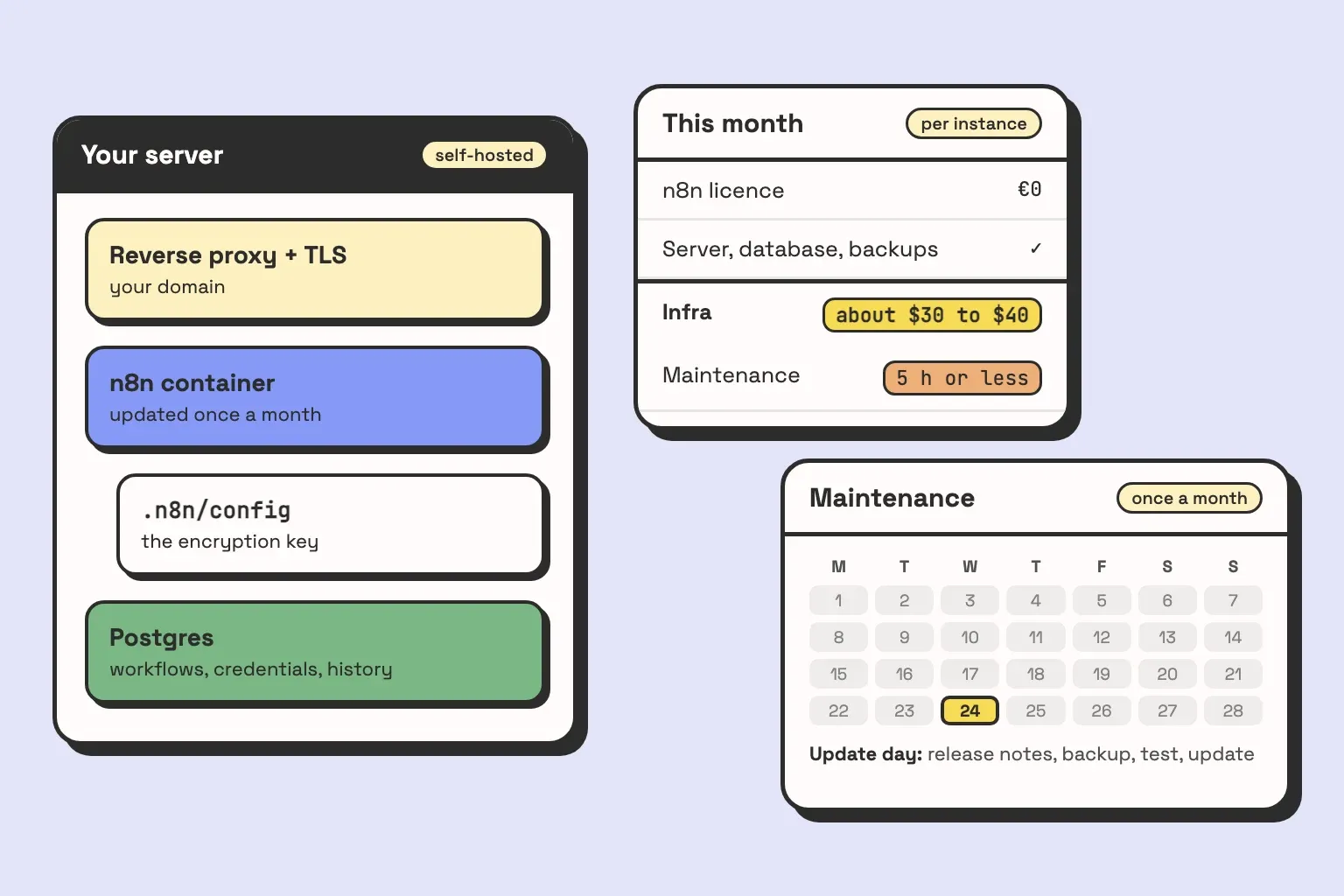
- Self-hosting with nobody to own it. Self-hosted n8n needs a server that stays up, tested backups, upgrades and monitoring. When it fails, it fails quietly: the workflow stops and the record never arrives. If nobody on your team is named as the owner, use the cloud plan.
The last one is the case that costs real money, and it is why what an n8n agency actually does spends more time on hosting and maintenance than on the build.
n8n vs. the alternatives
None of these is our product, so the table has no favourite.
| n8n | Zapier | Make | Airtable automations | |
|---|---|---|---|---|
| Good at | Anything from a two-step connection to long, branching workflows with lookups and custom API calls | Quick two or three step connections between popular apps | Visual multi-step scenarios with routing | Anything that starts and ends inside one base |
| Hosting | Self-host or n8n cloud | Cloud only | Cloud only | Inside Airtable |
| When a built-in step is missing | HTTP Request node, or a Code node in JavaScript or Python | Webhooks, or a Code by Zapier step | HTTP module | A script action |
| Suits | A team with someone technical, or a partner who owns it | Anyone, with no setup | Power users who like a canvas | Teams whose whole process lives in Airtable |
| Breaks when | Nobody owns the instance | Workflows get long, since each action counts toward your task allowance | Scenarios get too large to read | You hit run limits, or the work leaves Airtable |
For a longer comparison of the first three, see which automation tool suits your business.
If your whole process already lives in one Airtable base, start with Airtable’s own automations. Reach for n8n when the work leaves that base, whether it is a two-step connection to another app or a flow that branches or needs an API call no built-in step offers.