The server bill for a self-hosted n8n instance is small, and nobody ever argues about it. The cost that shows up is a Tuesday afternoon. Someone reads the release notes, updates the container, and finds that a node the invoicing workflow depends on now returns its data in a different shape. The update took ten minutes. Working out why the invoices stopped took the rest of the day.
That is what n8n self-hosted pricing leaves out. The licence is free and the server is cheap. The hours are neither, and they are the line that decides whether self-hosting is the cheap option for you. Below are the cost lines, how to put a number on each, and the point where paying n8n is cheaper than running it yourself.
The short answer on n8n self-hosted pricing
There are three ways to run n8n, and they price differently.
- Community Edition, self-hosted. No licence fee. You run it on your own server under n8n’s Sustainable Use License, which lets you use it “for your own internal business purposes or for non-commercial or personal use”. If you register the instance with an email address, n8n sends a free licence key that adds folders, debugging in the editor with pinned execution data, and custom execution data.
- Business, self-hosted. A paid licence key you add to your own instance. You still run the server. The key unlocks what Community Edition leaves out: SSO (SAML and LDAP), environments, Git version control, and projects with sharing of workflows and credentials between users.
- n8n Cloud. n8n runs the instance and you pay a monthly plan with an execution quota.
The current prices for Cloud and Business are on n8n’s pricing page. We link to it rather than copy it, because n8n changes its plans and a copied number goes stale. As of October 2026 that page lists Business as a self-hosted plan, with a hosted version on a waitlist.
So the real cost of each option is:
- Community Edition: server + database + backups + monitoring + your maintenance hours.
- Business: the same, plus the licence.
- Cloud: the plan, plus the hours you still spend on the workflows themselves.
Hosting choice changes who updates the server. It does not change who fixes a workflow when a vendor deprecates an endpoint or a token expires. You pay for those hours on every option.
What you pay for: server, database, backups, monitoring
These are the lines with an invoice attached. Each one is cheap on its own, which is why people stop counting after the first.
The server
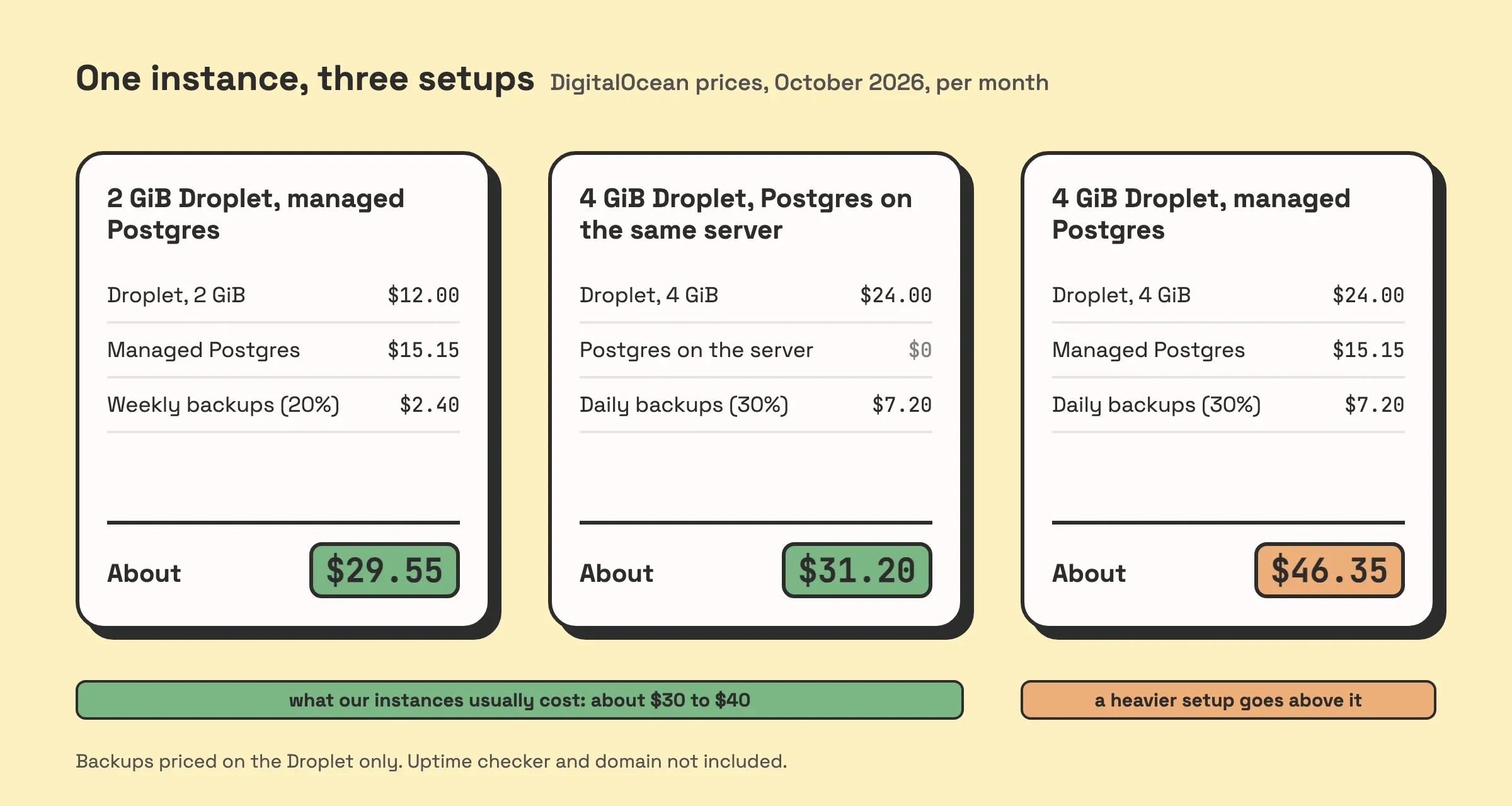
A virtual server from any cloud provider. For a reference point, as of October 2026 DigitalOcean lists its Basic Droplets at $6 a month for 1 GiB of memory, $12 for 2 GiB and $24 for 4 GiB.
n8n does not publish a general sizing table, and the right size depends on what your workflows do: how many run at the same time, and how much data each one carries. A workflow that moves a few fields between two apps needs very little. One that downloads files or loops over thousands of records needs more. Start small, watch memory for a month, and resize.
The database
By default n8n stores workflows, credentials and execution history in a SQLite file inside its .n8n folder. That costs nothing extra. You can point it at PostgreSQL instead, and you have to if you want queue mode, which spreads executions across worker processes: n8n’s docs say queue mode needs Redis and a database, and that running it over SQLite is not supported.
Postgres on the same server is free and is one more thing to back up. A managed one costs money and someone else patches it. DigitalOcean’s smallest managed PostgreSQL plan is $15.15 a month as of October 2026.
Execution history grows the database. n8n prunes it by default: finished executions older than 14 days go, and so do the oldest ones once there are more than 10,000. On SQLite, pruning frees space inside the file without shrinking it, so the disk keeps what it had until you run a VACUUM.
Backups
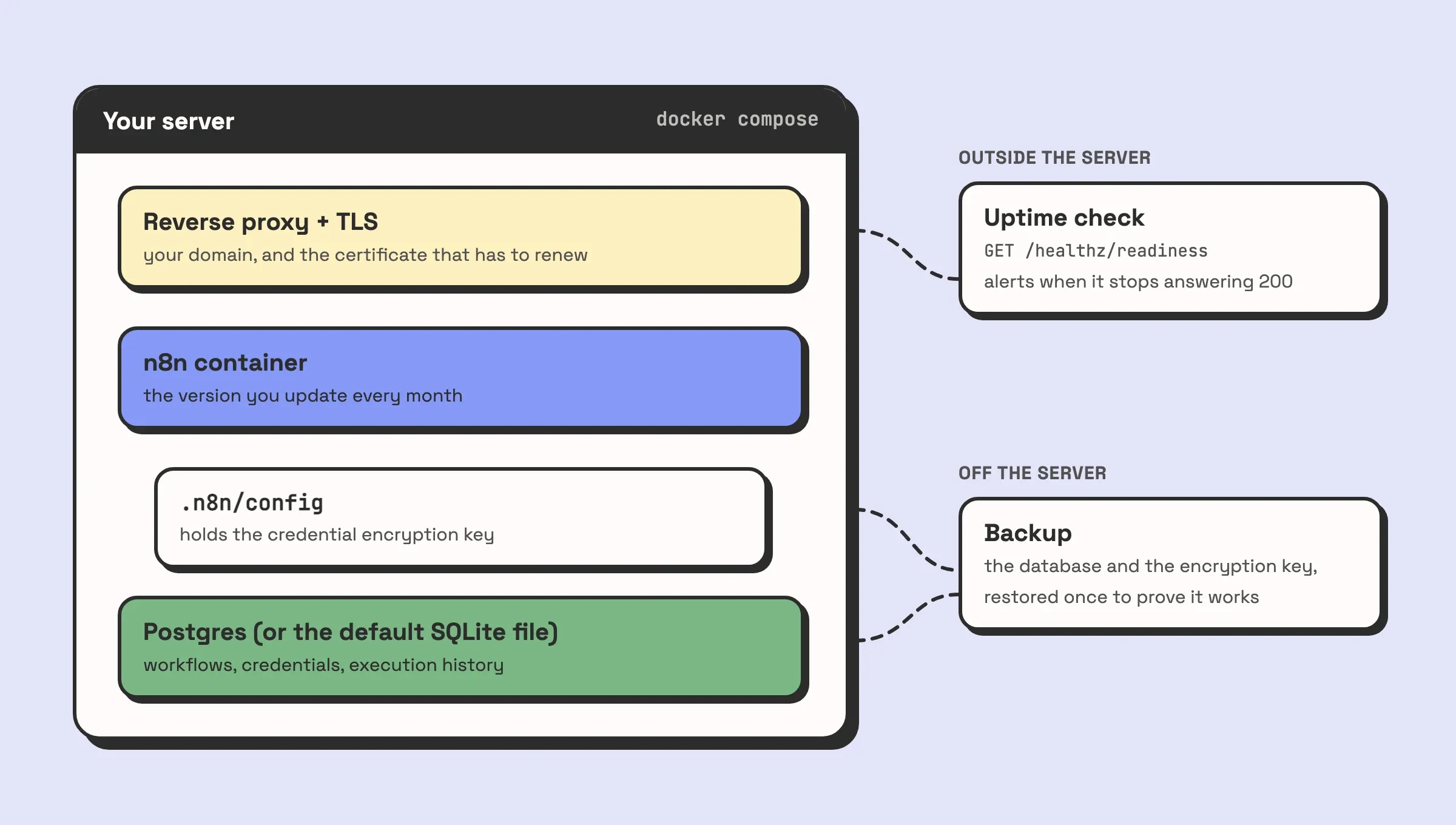
Backups are where a mistake costs the most. n8n encrypts every credential it stores. The key sits in the config file in the .n8n folder, unless you set your own with N8N_ENCRYPTION_KEY. n8n’s backup docs are blunt about it: without that key, a restored database’s credentials cannot be decrypted. Back up the database and lose the key, and you get every workflow back with every connection broken.
A complete backup covers:
- the
.n8nfolder, with n8n stopped while you copy it - the Postgres database, if you use one, with Postgres’s own tools
- any external storage for binary data, and any custom nodes
- the environment variables the instance runs with, including a custom encryption key
The storage is cheap. DigitalOcean charges 20% of the Droplet price for weekly backups and 30% for daily ones. The real cost is restoring a backup once, on a spare server, to find out whether it works.
Monitoring
n8n’s main process answers on /healthz with a 200 when it is reachable, and on /healthz/readiness with a 200 only when its database is connected. Point an uptime checker at the readiness endpoint, from outside the server. A workflow on the same instance cannot tell you the instance is down, because it went down with it.
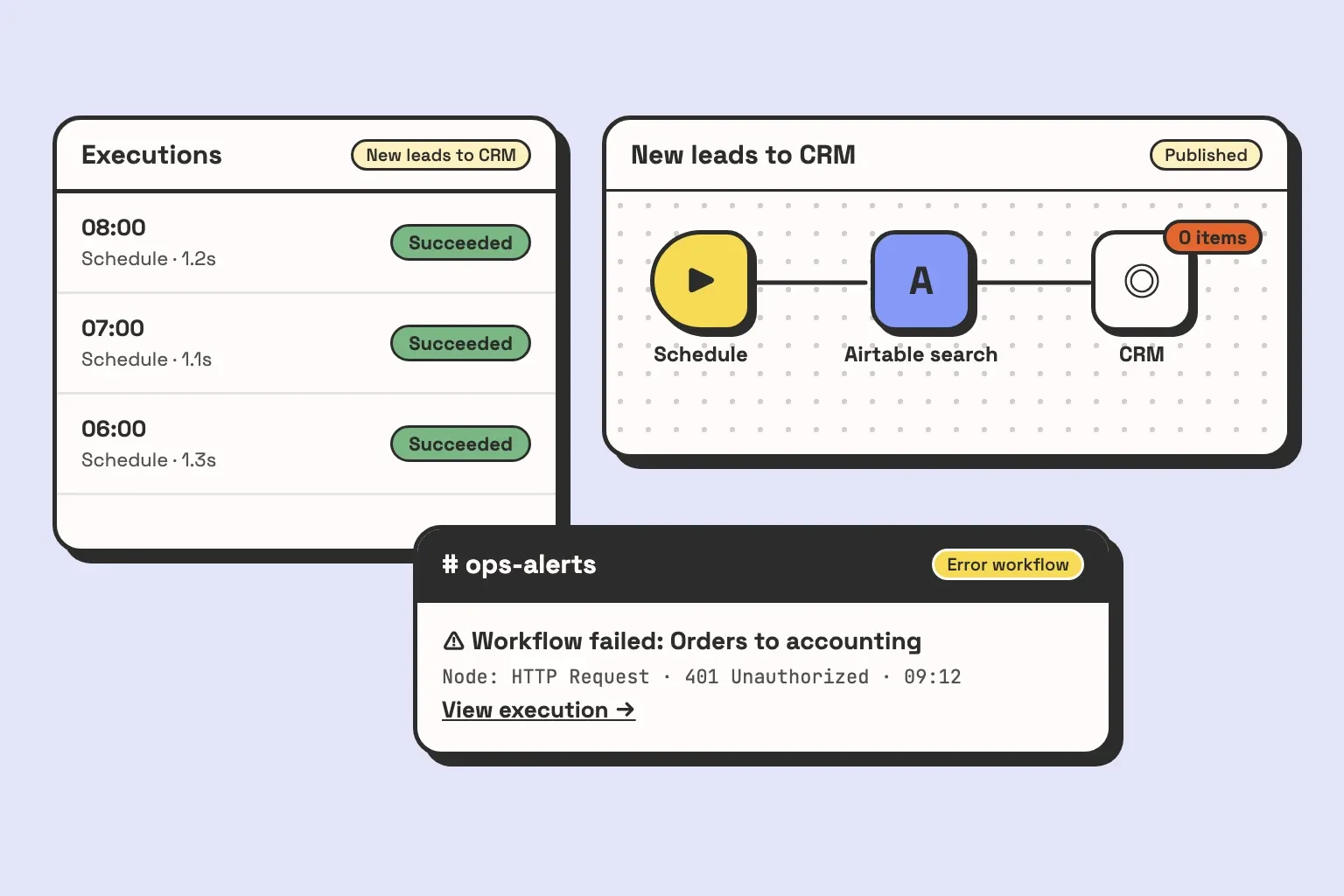
That covers “is it running”. It does not cover “did the workflows succeed”, which is an error workflow and a run log. Those are workflow costs, and the questions to ask an n8n developer cover them.
The cost nobody lists: upgrades, broken nodes, security patches
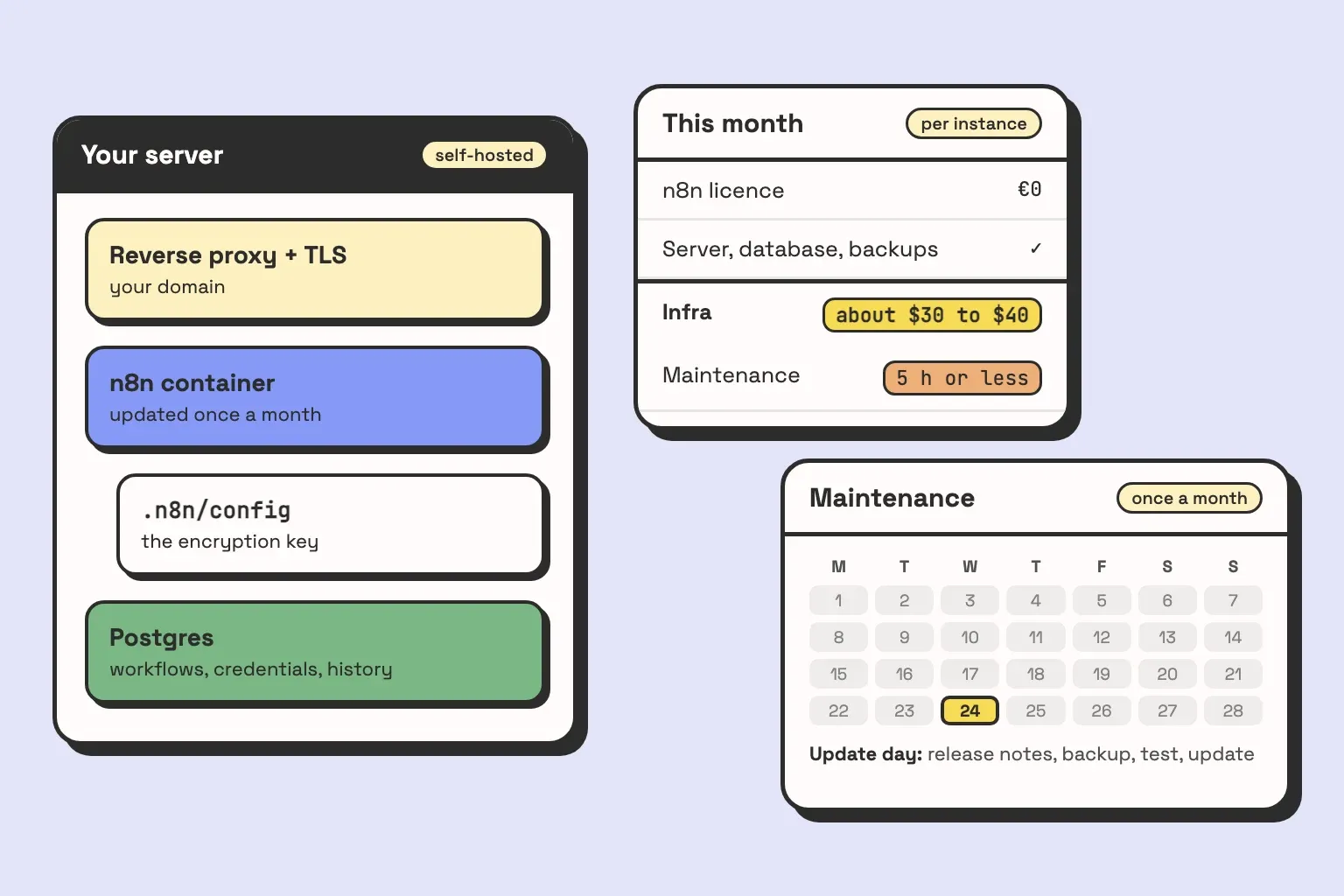
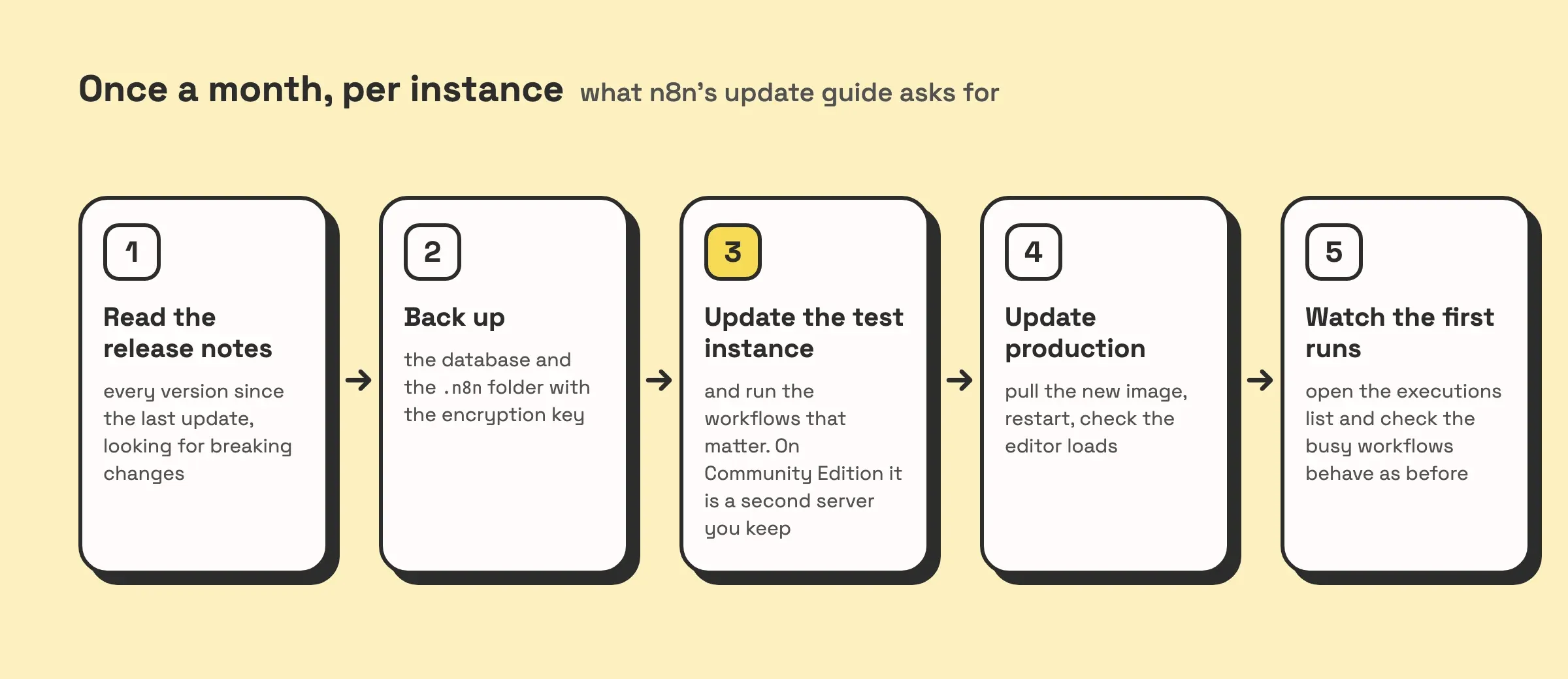
n8n’s own update guide asks you to update at least once a month, so you never jump several versions at once, and to check the release notes for breaking changes first. It also says to test the update on a separate instance before production, and the feature it suggests for that is Environments. Environments is a Business feature. On Community Edition, the test instance is a second server you build and keep in sync yourself.
So one month of maintenance on a self-hosted instance looks like this:
On top of that routine:
- The operating system. Security patches for the server, Docker updates, and a check that the TLS certificate on your domain actually renewed.
- Disk and memory. A month with more executions than usual, or one workflow that started pulling large files, and the server fills up.
- Things breaking after an update. Most updates change nothing you use. When one does, the workflow usually keeps running and does something slightly different, and finding it takes longer than the update did.
To price this, count it. Log every minute spent on the instance for one quarter: updates, restores, resizes, the afternoon after a bad update. Divide by three. Multiply by what that person’s hour costs the business. That is the line most price comparisons leave out.
On the instances we run for clients, it is typically about 5 hours a month or less. How much depends on the workflows running on it.
Cloud vs Community vs Business: the monthly cost side by side
Here is the whole calculation in one table. The n8n plan fees are on the pricing page. The infrastructure and hours come from the instances we run for clients. They are typical figures, not a guarantee, and they move with what your workflows do.
| n8n Cloud | Community Edition, self-hosted | Business, self-hosted | |
|---|---|---|---|
| What usually fits | One builder or a small team, with volume inside a plan’s quota | A team where someone already runs servers | A team that needs SSO, environments and Git on its own servers |
| n8n licence or plan | Cloud plan fee | €0 | Business licence fee |
| Server, database, backups, monitoring | Included in the plan | On our instances, usually about $30 to $40 a month on DigitalOcean, which is in the same range as an n8n Cloud subscription, between the Starter and Pro plans | The same lines as Community, plus a second server for the test instance |
| Maintenance hours a month | Workflow fixes only | About 5 hours or less, depending on the workflows | The Community figure, plus the time to keep the test instance in step |
| Monthly total | Plan fee + workflow fixes | Infra + hours × hourly cost | Licence + infra + hours × hourly cost |
That $30 to $40 is what our instances usually cost. A heavier setup costs more: at the DigitalOcean prices above, a 4 GiB Droplet with managed Postgres and daily backups comes to about $46 a month.
Two things change the picture more than the column you pick. The first is whether someone on your team already runs servers. If they do, the maintenance hours cost you less, because the routine is one they already have. The second is whether your volume fits a Cloud plan’s execution quota. n8n counts one execution per workflow run, however many steps it has, so a workflow that runs every five minutes uses about 8,600 executions a month on its own.
If you want those numbers worked out for your own workflows, book a call. We will tell you which column you are in, including when the answer is the cheapest Cloud plan and no work from us.
When we tell clients to pay n8n instead
We run self-hosted instances for clients and like it, so take that into account. These are the cases where we tell them to pay n8n anyway.
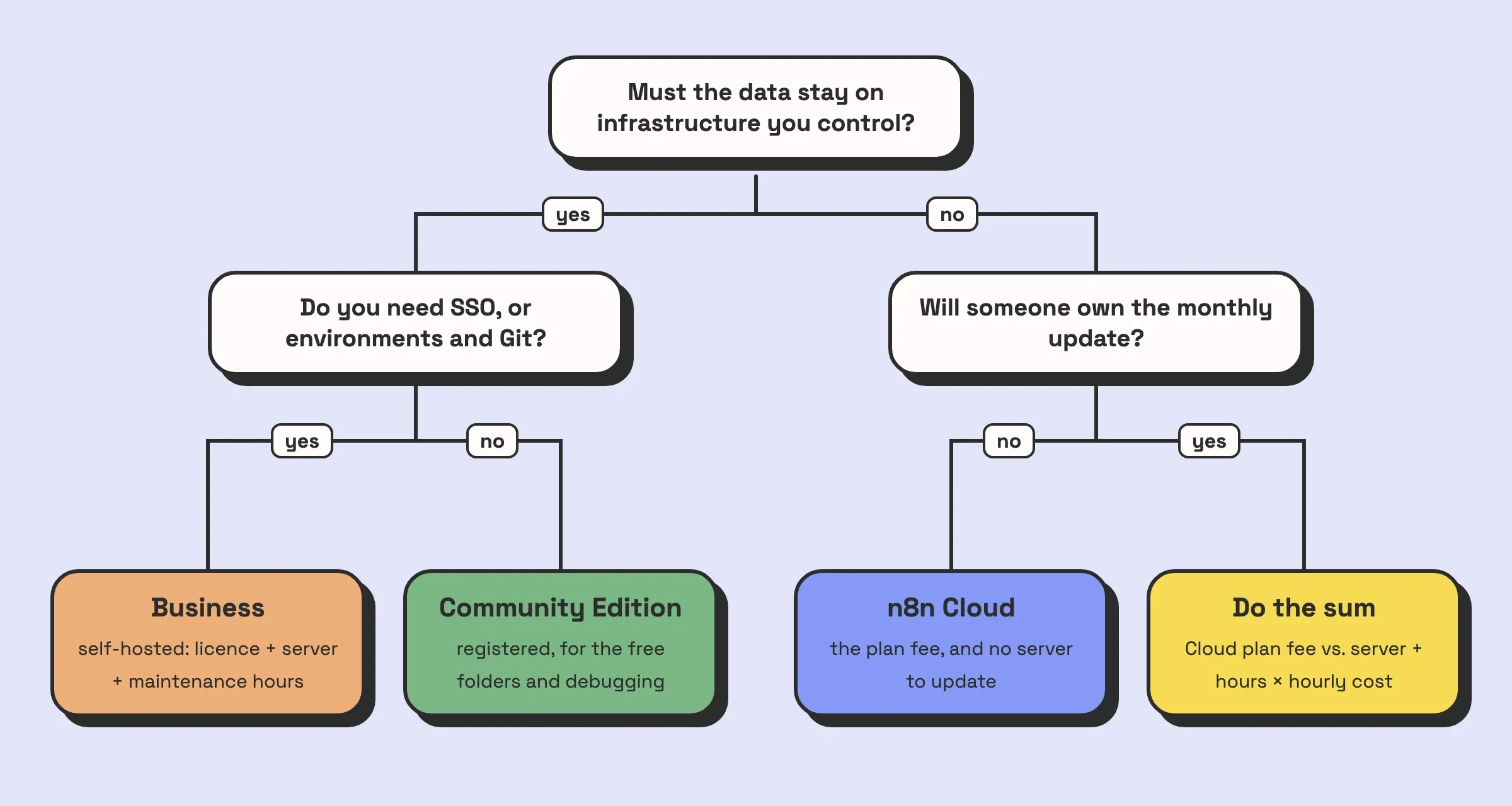
Nobody will own the monthly update. Self-hosting is cheap only if someone does the routine above, every month. If the honest answer to “who updates it?” is a name followed by “when they get time”, the instance falls behind, and the update that finally happens jumps several versions at once. Cloud is the cheaper option for that team, whatever the table says.
The volume fits a Cloud plan. If your runs fit inside a plan’s quota, compare the plan fee with your maintenance hours times the hourly cost.
The only reason for Business is folders. Register Community Edition instead. It is free and folders come with it.
Self-hosting still wins in some cases:
- Your data has to stay on infrastructure you control.
- Your volume is far past what Cloud plans include.
- You need things only a self-hosted instance gives you, such as your own custom nodes or the
/metricsendpoint. - Someone already runs servers as part of their job.
Business is worth paying for when you have to self-host and you also need SSO for your team, or a proper development to production path with environments and Git. At that size the licence is usually the easier line to justify, and the maintenance hours from the table still apply on top of it.
One licence point before you plan anything: the Sustainable Use License covers your own internal use, and n8n’s License FAQ says an agency can charge for installing, building and maintaining n8n for a client. What it does not allow is hosting n8n as a service: charging your own customers for access to an instance where they log in and build workflows. Read the FAQ before you build on it.
Your instance, your account
Whatever you choose, put the server, the database and the n8n licence on accounts your company owns. We set client instances up that way, and a retainer for changes and monitoring is optional. When a client stops needing us, the instance keeps running on their account, with the documentation to keep it updated.
If you are still choosing between tools, Zapier, Make and n8n compared covers where each fits. If you are weighing whether to run n8n yourself or hand it to an agency, what an n8n agency actually does covers that.