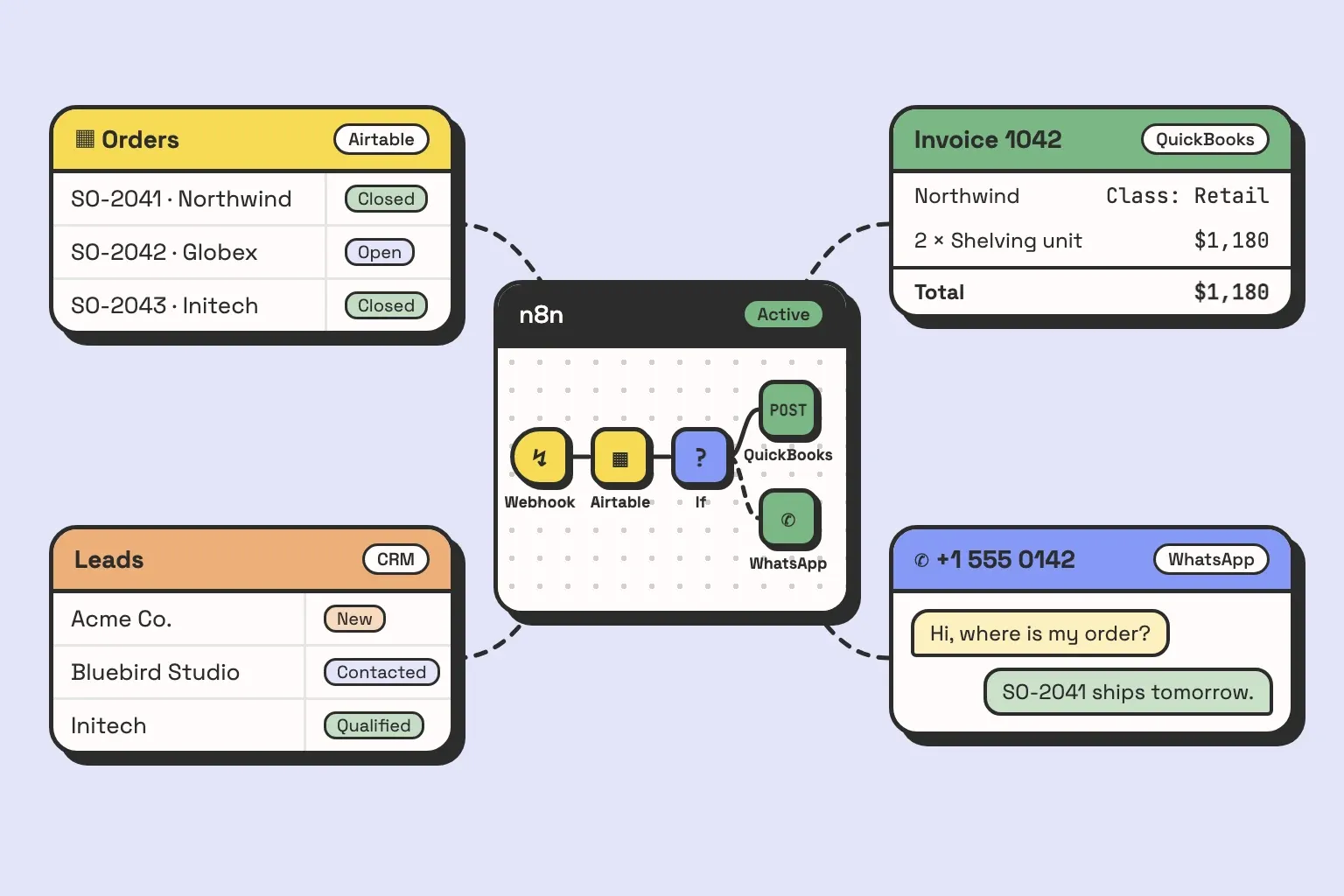
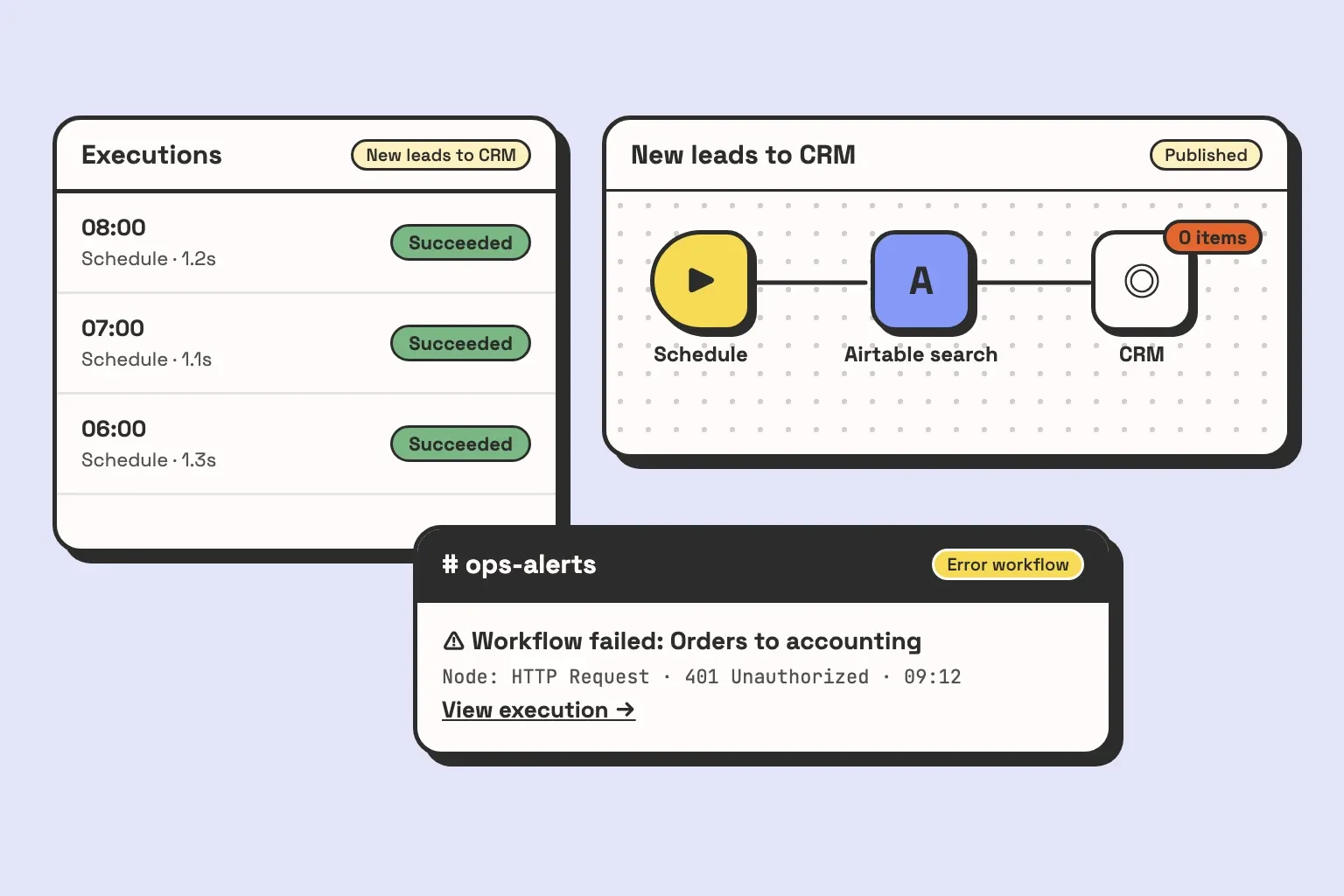
A workflow runs fine for five months. Then a token expires, one node starts returning an error, and nothing tells anyone. Orders keep arriving in the shop and stop arriving in the accounting system, and the first person to notice is whoever closes the books at month end. When you hire an n8n developer, that is the failure you are hiring against. Getting a workflow to run once is the easy part. You want someone whose workflows tell you when they stop.
We are an automation agency, and a lot of our n8n work starts with workflows somebody else built. The questions below come from what we keep finding in them. They work whether you end up hiring a freelancer, a full-time developer, or us.
What an n8n developer actually does
The canvas is the visible part. Putting a trigger, three nodes and an Airtable write on it takes an afternoon, and a template often does half of that for you. The job around the canvas is bigger:
- Finding out what actually happens in the process today, which is rarely what the brief says, and deciding what n8n should own and what it should stay out of.
- Mapping data between systems. Real workflows often spend more nodes translating one system’s IDs, statuses and field names into another’s than on the task itself.
- Calling APIs directly. A built-in node covers the common operations. When you need one it does not expose, the developer writes HTTP Request nodes against the vendor’s API and handles its auth and rate limits.
- Deciding what happens when an API is down, a record is malformed, or a run stops halfway. A quick build skips this.
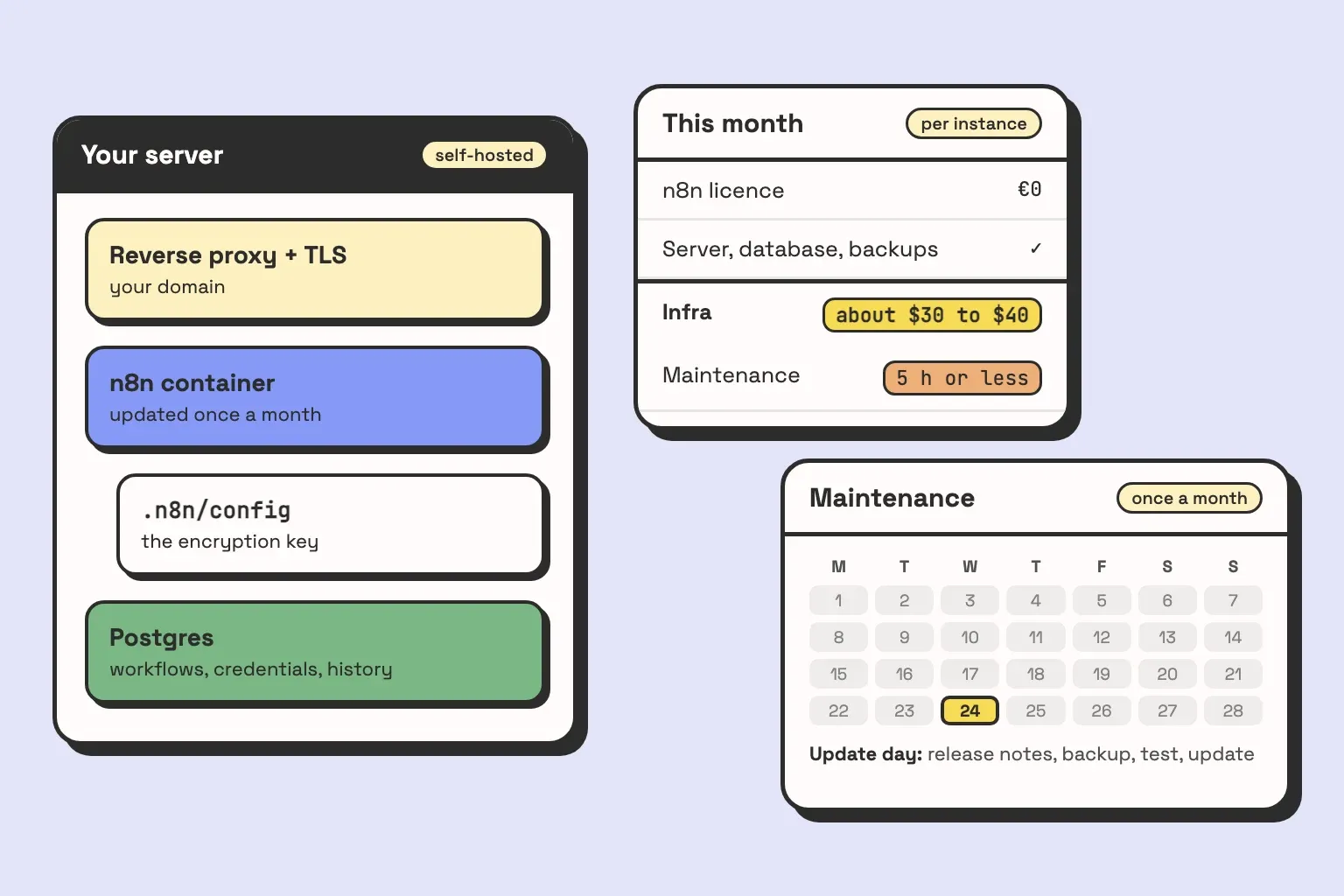
- Running the instance. On self-hosted n8n, someone owns the server, the database, backups and upgrades. On n8n’s cloud plan, less of that is yours.
A quote that only covers the canvas is a quote for the smallest part of the job.
Six questions to ask before you hire
Ask these on the first call. None of them needs you to know n8n. You are listening for whether the answer is specific.
1. “What happens when a node fails at 3am?”
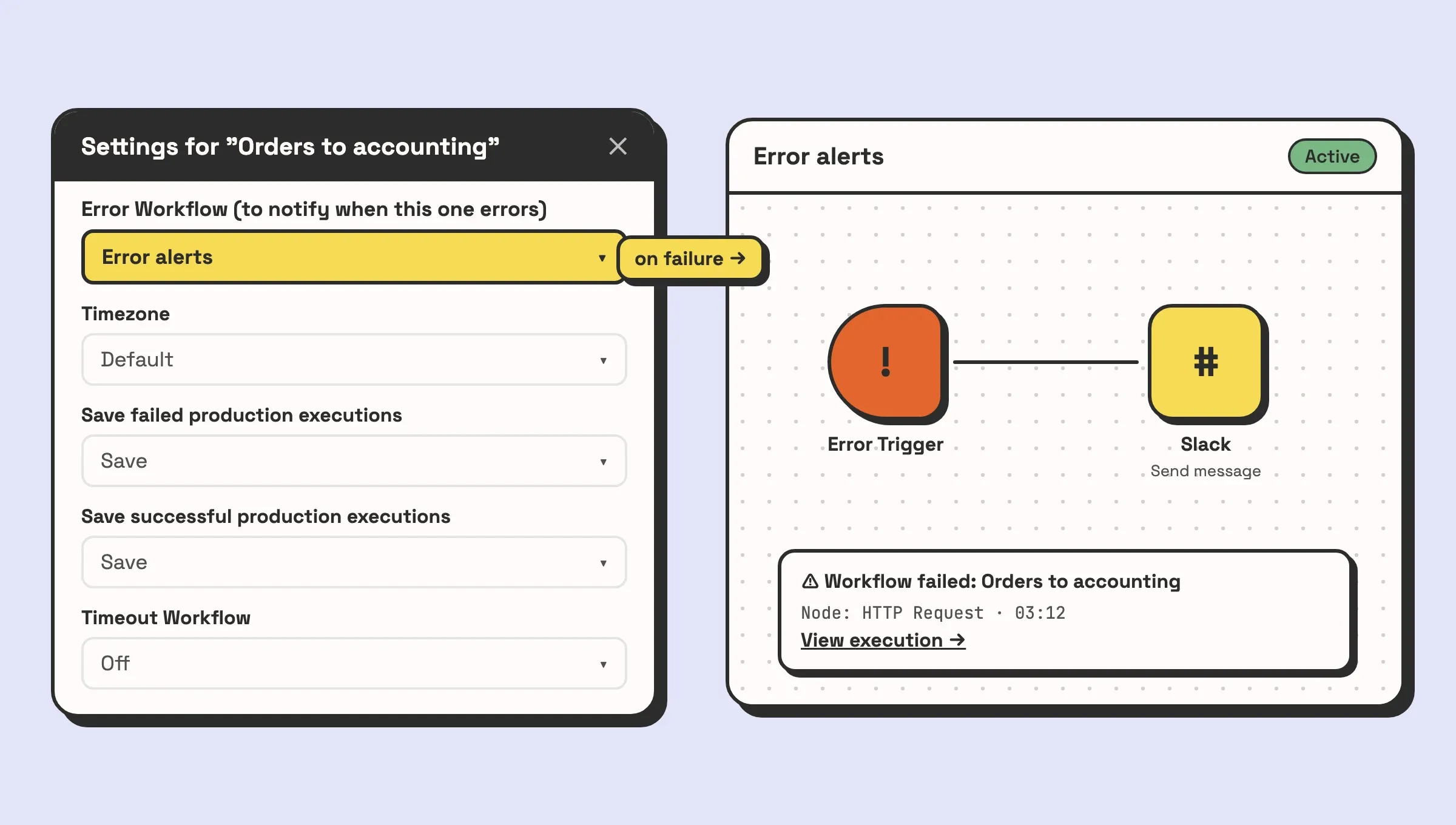
A good answer names a mechanism. In n8n that is usually an error workflow: a separate workflow that starts with an Error Trigger node and is selected as the error workflow in each production workflow’s settings. A failure anywhere then posts to Slack or email with the workflow name and a link to the execution. For calls that fail for boring reasons, like a timeout, they should mention the node’s Retry On Fail setting.
“I test everything thoroughly” is a weak answer. Testing catches the failures you can predict, and the expired token five months later is one you can’t.
2. “Where will the credentials live, and whose accounts are they?”
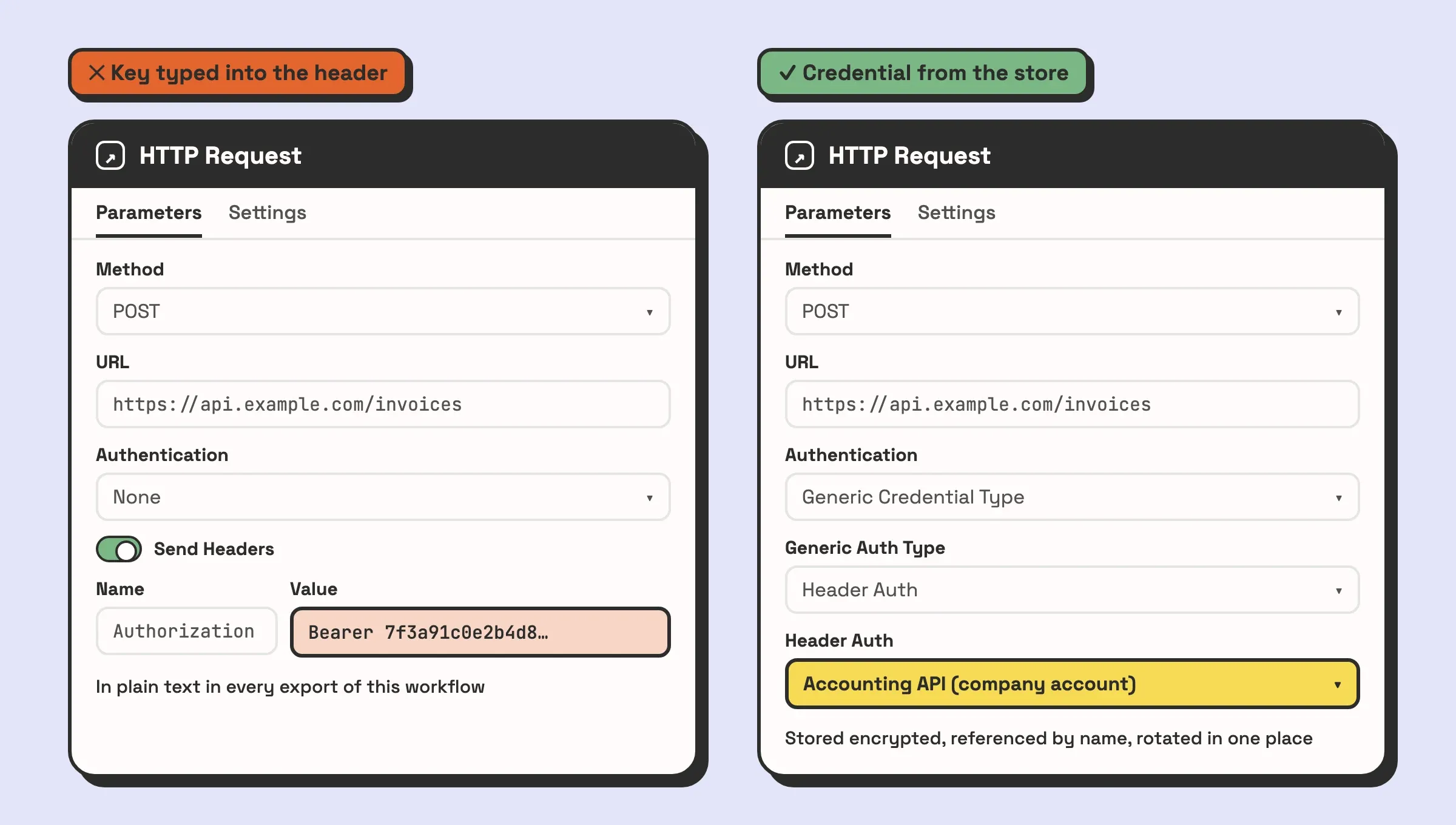
n8n has a credential store. API keys and OAuth connections go there, encrypted, and nodes reference them by name. You want to hear that, and you want to hear that every connection runs on an account your company owns.
The red flag is an API key pasted into an HTTP Request node’s header or typed into a Code node. It works. It also puts the key in plain text in every export of that workflow, and rotating it means hunting through nodes.
3. “How will I know what ran yesterday?”
n8n keeps execution history, but only what each workflow’s settings tell it to save, and a self-hosted instance deletes execution data older than 14 days by default. “Check the executions tab” is a partial answer. A better one is that important runs also write a line somewhere you already look, such as a table in your Airtable base, with the record ID, what happened and when.
4. “How would you split a process this size?”
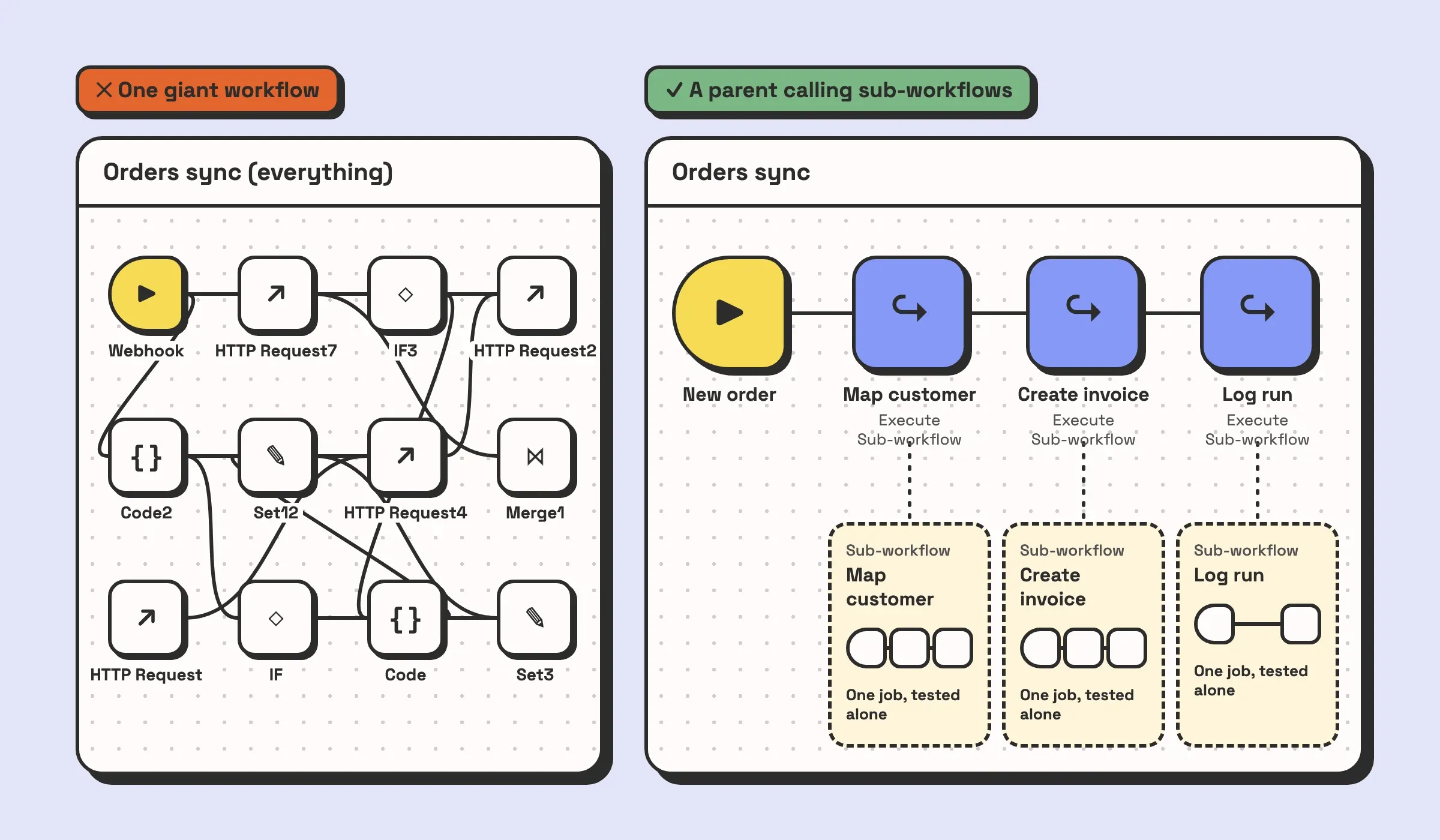
Describe your process in two sentences and ask how many workflows it becomes. You are listening for sub-workflows: small workflows with one job each, called from a parent through the Execute Sub-workflow node, so each piece can be tested and changed on its own.
“One workflow” for anything past a handful of steps is the answer that turns into a canvas nobody wants to touch.
5. “When you leave, what do I have?”
The answer you want: the n8n instance or cloud workspace on your account, every connected app on your account, the workflows exported, and written documentation of what each one does and what to do when it alerts. That is what we hand over as well. You own the accounts, the workflows and the documentation, and a retainer afterwards is optional.
If the developer runs the instance on their own server and bills you for it, you cannot leave without a migration.
6. “Which part of this would you not build in n8n?”
Experienced developers usually have an answer, because they have seen where n8n breaks in production. The data should live in a real database and n8n should only move it. A two-step job should just be a Zapier zap. The process is still being argued about and should be settled first. Someone who says every part of your brief is a perfect fit for n8n is telling you what they sell.
If you have put these six to a few candidates and want to hear how we would answer them for your process, book a call. If the honest answer is that you need a freelancer for a week and not us, we will say so.
Red flags in workflows we have inherited
Already have n8n workflows and hiring someone to take them over? Open a few and look for these four. They are what we find most often when we pick up someone else’s build, and each one maps back to a question above.
No error handling. No error workflow selected in the settings, no error output on the nodes that call external APIs, no Retry On Fail. Every failure is silent. You can check this in a minute: open the workflow’s settings and look at the error workflow field.
Credentials hard-coded. Tokens typed into HTTP Request headers, query parameters or Code nodes, sometimes personal tokens belonging to someone who has since left. The workflow stops the day their account is deactivated, and nobody knows why.
No execution logging. Failed executions not saved, successful ones pruned, nothing written anywhere else. When someone asks whether last Tuesday’s invoice went out, nobody can answer.
One giant workflow. Everything on one canvas, branches crossing each other, and nodes still called “HTTP Request7”. Nobody can change one step without risking the rest, so nobody changes anything, and the workarounds pile up around it.
None of these makes a workflow worthless. Often the logic inside is sound and the problem is everything around it. We keep what works and rebuild only what is holding you back, and a new developer should do the same before offering to start from scratch.
Freelancer, agency, or in-house
We are an agency, so weigh this accordingly.
| Fits when | Goes wrong when | |
|---|---|---|
| Freelancer | The scope is a few well-defined workflows, and someone on your team can own them afterwards | The work spreads across several systems and one person’s calendar becomes your bottleneck |
| Agency | You need several systems connected on a deadline, with data modelling, hosting and failure handling in scope, or something is breaking and nobody can say why | The job is one workflow. You pay for a scoping process a freelancer would skip |
| In-house | Automation is continuous work and there will always be a queue | You need integration, data modelling and infrastructure skills and have budget for one salary |
A freelancer is the right hire more often than agencies admit. If the work is contained and the six questions get good answers, that is a fine outcome. You need an agency when the project is really three jobs (modelling the data, building the workflows, running and watching them) and you want one party responsible for all of it. The longer comparison is in what an n8n agency actually does.
As for where to look: the n8n community forum has job posts, and the freelance marketplaces list plenty of n8n profiles. The six questions work the same on both. If your project is mostly on the Airtable side, we wrote that version in how to hire an Airtable consultant.
What an n8n developer costs, and what drives the price
For a reference point, Upwork puts freelance n8n experts at roughly $40 to $100 an hour. Use that to sanity check a quote, not to predict one. Rates swing with region and experience, and an hourly number means little until you know what is in scope. What you can compare is what goes into a quote:
- How many systems are in scope. Each connected app brings its own auth, data model and quirks. This is the biggest driver, and it is what our own pricing is based on.
- Whether each app has a built-in n8n node. If one exists and covers what you need, that step is quick. If not, the developer is working from API docs and writing HTTP requests.
- How much translating the data needs. Matching customers, IDs, statuses and currencies between two systems is slow, careful work, and it is where most bugs live.
- Failure handling and logging. The error workflow, retries, alerts and run log from the questions above. A quote that leaves them out is cheaper now.
- Hosting. n8n’s cloud plan is a subscription with no server to run. The self-hosted community edition has no licence fee, and someone has to run, back up and upgrade the server, so the real cost of self-hosting n8n is in those hours.
- What already exists. Half-built workflows need an audit first. That can make the job cheaper if much of it is sound.
- What happens after launch. APIs change and tokens expire. Decide up front who watches the workflows, and whether that is a retainer or your own team.
How you are billed matters as much as the rate. Hourly billing puts the risk of a job running long on you. We work to a fixed scope and a fixed price instead: the first call finds what you actually need, the number comes after it, in writing, before any work starts, and the first system is live in under four weeks. You can get the same protection from a freelancer by agreeing a fixed scope with them. Either way, get the scope written down before you compare numbers. Two quotes for “connect the shop to the accounting system” can describe very different jobs.
If you are still deciding whether this is a job for automation at all, what workflow automation actually is covers the basics.